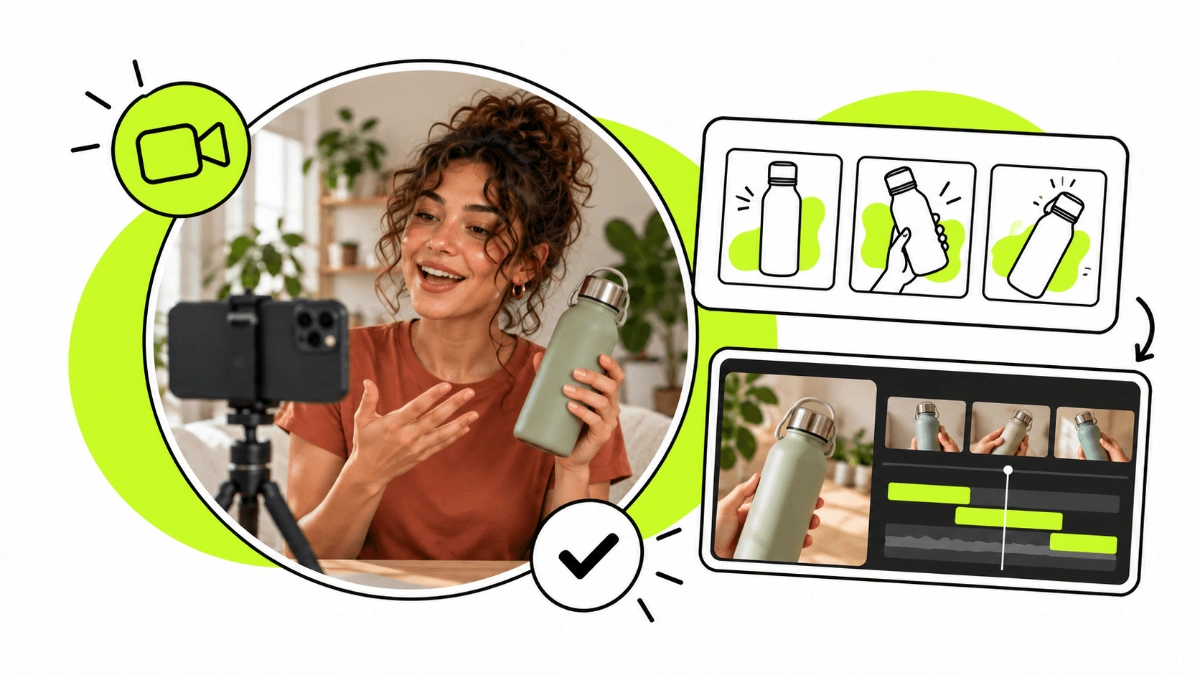
To get started as a UGC Creator you don't need a professional studio or to spend thousands on gear. In fact, you probably already have the most important tool at home: your smartphone.
That said, a few accessories can make a big difference to the lighting, audio, stability and overall quality of your videos.
In this guide you'll find the equipment that can genuinely help you create UGC, from the essentials to get started to accessories you can add as you go.
So... what equipment do you need to start as a UGC Creator?
One of the advantages of becoming a UGC Creator is that the barrier to entry is relatively low.
You don't need a professional camera, a top-of-the-range computer or a studio full of lights. For your first videos you can start with:
A smartphone with a camera that records well.
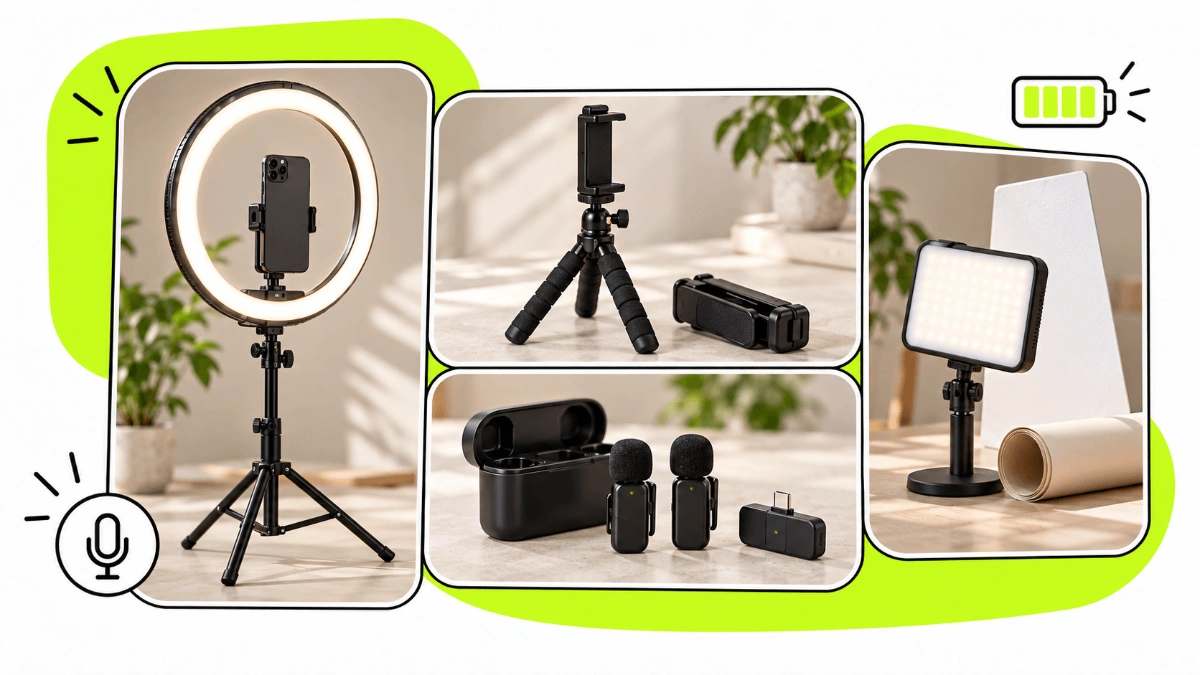
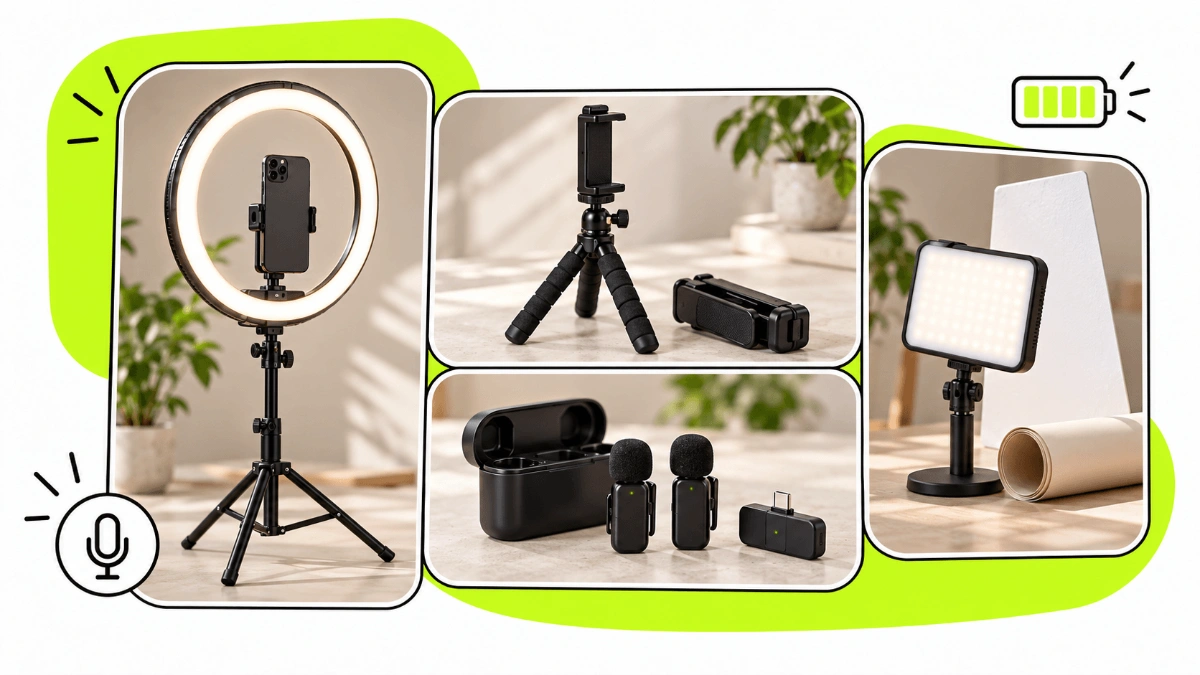
A tripod or mount to keep your phone steady.
A good light source, which can even be a window.
A quiet space where you can record clear audio.
From there, you can add new accessories depending on the content you want to create and the needs of each collaboration.
The key thing to understand is that more gear doesn't automatically mean better UGC. A good concept, an effective hook, careful filming and dynamic editing usually matter far more than using the most expensive device.
Software for managing your UGC collaborations
Let’s start with something that isn’t exactly an accessory, but is an essential tool for managing your UGC collaborations.
Once you start working with multiple brands, filming and editing are only part of the job. You also need to manage proposals, messages, briefs, scripts, product shipments, deliverables, revisions and payments.
You can use different tools for each part of the process or keep everything together in one platform.
Huuk is a UGC platform that allows creators to manage their brand collaborations in one place, from proposals and communication to briefs, shipment tracking, scripts, deliverables and payments.
This way, you can keep the entire collaboration process organised in one place.
Smartphone
The smartphone is the main tool for most UGC Creators and, to get started, it's probably all you need to film.
UGC videos are usually made for platforms like Instagram, TikTok or YouTube Shorts, where content shot on a phone fits naturally alongside everything else people are watching.
When using or choosing a smartphone for UGC, pay particular attention to:
The video recording quality.
How the camera performs in different lighting conditions.
The stabilisation.
Autofocus.
Available storage.
The quality of the front camera if you'll use it a lot.
Don't just look at megapixels. The final video quality depends on many other factors related to the camera and image processing.
Before buying a new phone, test the one you already have. If it gives you a sharp, well-lit and stable image, it's probably enough for your first pieces of content.
Smartphone tripod
If you're buying your first accessory for UGC, a smartphone tripod is probably one of the most useful investments.
As a UGC Creator you'll often have to film yourself without anyone helping, so you need to be able to place your phone at different heights and distances while keeping the framing steady.
Ideally, look for a tripod that is:
Height-adjustable.
Stable.
Easy to carry.
Compatible with different smartphone sizes.
Able to shoot both vertically and horizontally.
For content aimed at Reels, TikTok or Shorts you'll mostly be working in vertical format, so make sure the mount lets you position your phone comfortably that way.
Overhead shooting mount
An especially useful accessory for certain niches is an overhead (top-down) mount, which lets you point your smartphone straight down at a table or surface.
This kind of mount can be very handy for creating:
Unboxings.
Recipes and food content.
Make-up videos.
Skincare.
Crafts.
Tutorials.
Product demos.
Hands-only videos using an app or device.
If you regularly create this type of content, an overhead mount can give you much more freedom to experiment with shots and compositions.
Ring light
For years the ring light was one of the most popular accessories among content creators, because it makes it easy to get fairly even lighting.
It can be especially useful when you're filming:
Talking straight to camera.
Beauty or make-up content.
Testimonials.
Tutorials.
Videos in rooms with little natural light.
Many models also let you adjust both the brightness and the colour temperature of the light.
However, you don't have to have a ring light to create UGC. If you have a window with good natural light or use another type of LED lighting, you can get results that are just as good, or even more natural.
LED lights
As you want more control over your shoots, you can add LED lights to your kit.
Rather than relying only on natural light, artificial lighting lets you keep conditions more consistent regardless of the time of day or the weather outside.
Options range from small portable LED lights you can place next to your phone to more powerful lights with a stand, softbox or diffuser.
You don't need to build a film set. For UGC, getting a clean, well-lit, natural image usually matters more than an overly complex production.
Light reflector
A reflector is a simple accessory that lets you bounce light back onto the person or product you're filming.
It can help soften shadows when you use a window as your main light source and is especially useful for product photography, beauty, food and close-up shots.
It's also one of those accessories you can add later, once you start experimenting more with lighting.
Lavalier microphone
A lavalier microphone, also known as a lapel or clip-on mic, can greatly improve audio quality when you're talking straight to camera.
There are wired and wireless models. Wireless ones usually give you more freedom of movement, especially when you're filming shots further from the phone.
A lavalier can be especially useful for:
Talking-to-camera videos.
Testimonials.
Tutorials.
Content filmed outdoors.
Videos in places with background noise.
Before buying one, check that it's compatible with the port on your smartphone or camera.
You don't have to use it all the time either. In a quiet room, filming close to the phone, your smartphone's built-in microphone can be enough.
Shotgun microphone
Another option is a shotgun (directional) microphone that plugs into your smartphone or camera.
This type of mic is useful when you mainly want to capture the sound in front of the device and cut down some of the noise coming from other directions.
It can work well for certain product videos, interviews, outdoor content or shoots where you don't want a mic clipped to your clothes.
Professional camera
Do you need a professional camera to be a UGC Creator? No.
For most UGC, a good smartphone is more than enough and can actually help keep the natural look that's typical of social media.
A mirrorless or professional camera can make sense once you start working on projects that need higher image quality, specific lenses, more control over depth of field or more complex productions.
It can also be worth it if, alongside UGC, you do photography, YouTube videos or other kinds of video production.
But if you're just starting out, don't treat a professional camera as a priority purchase. First learn to get the most out of the smartphone you already have.
Bluetooth remote or shutter
A small Bluetooth remote can make shooting much easier when you're working alone.
It lets you start and stop some recordings or take photos without constantly walking back to your phone.
It's especially handy when the phone is placed far away, you're filming full-body shots or you need to repeat lots of takes from the same position.
You can also use the timer or remote-control features available on some devices.
Power bank or external battery
Recording video uses a lot of battery, especially during long sessions.
A power bank can be really useful if you shoot away from home, travel or need to film several pieces in one day.
If you regularly work on location, at events, hotels, restaurants or outdoors, carrying an external battery in your bag can stop a shoot ending early just because your phone died.
External storage and backups
Video files can take up a lot of space, especially if you record many takes or work at high resolutions.
That's why it's a good idea to have an organised system to store and back up your content.
Depending on your workflow, you can use:
Cloud storage.
An external SSD.
Your computer's storage.
A mix of local and cloud storage.
As well as freeing up space on your phone, keeping your files organised can matter if a brand later needs you to retrieve a video, a version or the original footage.
Backdrops for filming
You don't need a studio, but the background of your videos is part of the composition.
A clean wall, a tidy table or a well-lit corner of your home can be enough.
If you want more options, you can add backdrops in different colours, card, fabric or small panels for product photos and videos.
This can be especially useful for content in:
Beauty.
Cosmetics.
Food.
Tech.
Jewellery.
Small products.
Before buying professional backdrops, try out different spaces and items you already have at home.
Props for creating content
Props can help you create more attractive scenes and match the look of the video to the product you're showing.
That doesn't mean filling the frame with objects. Sometimes a plant, a mirror, a tray, a glass, a few books or some decorative items are enough to improve the composition.
If you regularly work in the same niche, you can gradually build up a small collection of reusable props.
For example, a beauty creator might use mirrors, trays or different backdrops, while a food creator might need plates, glasses, cutlery or surfaces to present products on.
Cleaning kit
It might seem minor, but having a small cleaning kit can make a real difference in some videos.
A microfibre cloth for your phone's lens stops you accidentally filming with smudges or fingerprints. If you create product content, it can also help you keep packaging, screens, mirrors and surfaces clean before close-ups.
It's a simple, cheap accessory that's especially useful when working with products that show fingerprints easily.
Selfie stick
A selfie stick can be useful if you create content outdoors, especially around travel, hotels, experiences, sport or lifestyle.
There are also models that combine a selfie stick and tripod, so you can use them both for filming on the move and for keeping your phone in a fixed position.
It isn't essential for every UGC Creator, but it can be a good addition if the content you make often means filming yourself away from home.
Gimbal or stabiliser
A smartphone gimbal can help you get smoother camera movement while you walk or follow a person or product.
It can be useful for content about:
Travel.
Hotels.
Restaurants.
Automotive.
Fitness.
Events.
Experiences.
Space and venue tours.
However, it isn't a priority purchase when you're starting out. Today's smartphones already have built-in stabilisation and, in UGC, not every video needs perfectly smooth movement.
Consider a gimbal once you notice that camera movement is a regular part of your projects.
Computer or tablet
Editing video used to require a computer, but today you can do much of the process straight from your smartphone.
So you don't need to buy a computer just to start as a UGC Creator.
A computer or tablet can be more comfortable when you work on long projects, with lots of files, several versions or more complex editing.
It can also help you organise:
Briefs.
Scripts.
Invoices.
Contracts.
Files.
Deliveries.
Client communications.
If you already have a working computer, it's probably enough. You don't need a high-end machine until your workflow genuinely calls for one.
Headphones
A good pair of headphones can be useful when editing, to catch audio problems that might go unnoticed on your phone's speakers.
They also make it easier to balance music, check voice-overs, spot background noise or make sure dialogue is clearly audible.
They don't have to be professional headphones: what matters is being able to check the audio clearly enough before you deliver the content.
Backpack for UGC Creators
If you often film away from home, a backpack to carry your gear can become a very useful accessory.
As you build up tripods, microphones, lights, batteries, cables and other accessories, keeping everything organised makes getting around much easier.
Look for a backpack with:
Internal compartments.
Enough room for your kit.
Protection for electronic devices.
Comfortable straps.
Durable material.
A size that suits the kind of shoots you do.
If you use a professional camera, you might also want a dedicated camera backpack with padded compartments.
Cables, adapters and chargers
They're probably the least exciting accessories to buy, but also some of the most likely to ruin a shoot.
Check which connections your smartphone, microphone, lights, camera and other devices use.
It can help to keep these organised in a small pouch:
Charging cables.
Adapters.
Charger.
Microphone connectors.
Spare cables.
Especially if you film away from home, always check your kit before you leave, so you don't discover on location that you're missing the one adapter you need.
As you've seen, there are lots of accessories that can make your work as a UGC Creator easier, but you don't need all of them from the start. The key is knowing which to prioritise based on your budget and the kind of content you want to create.
Which UGC accessories should you buy first?
If your budget is tight, prioritise whatever has a direct impact on the quality of your recordings.
A sensible order to start with could be:
Smartphone: use the one you already have first, if it records with good enough quality.
Tripod or mount: it lets you film yourself and keep the framing steady.
Lighting: make the most of natural light first and add a ring light or LED light when you need it.
Microphone: especially if you make lots of talking-to-camera videos or film outdoors.
Specific accessories: an overhead mount, backdrops, a power bank, a gimbal or anything else you genuinely need for the projects you land.
Everything else can come gradually.
As you land collaborations, it will also be important to learn how much to charge as a UGC Creator, so your rates reflect the work and resources each project requires.
Before buying any accessory, ask yourself: what specific problem in my videos will it solve?
If you don't have a clear answer, you probably don't need it yet.
What matters when you're starting out is practice. Create different types of videos and experiment with shots, lighting, hooks, voice-overs and editing. That's how you'll find out which accessories can genuinely help you improve your content.
Once you have a few pieces that represent your work well, you can use them to build your UGC portfolio and start pitching to brands.
You don't need the perfect kit to get started. Start with what you have, learn to use it well and upgrade your kit as your projects demand.