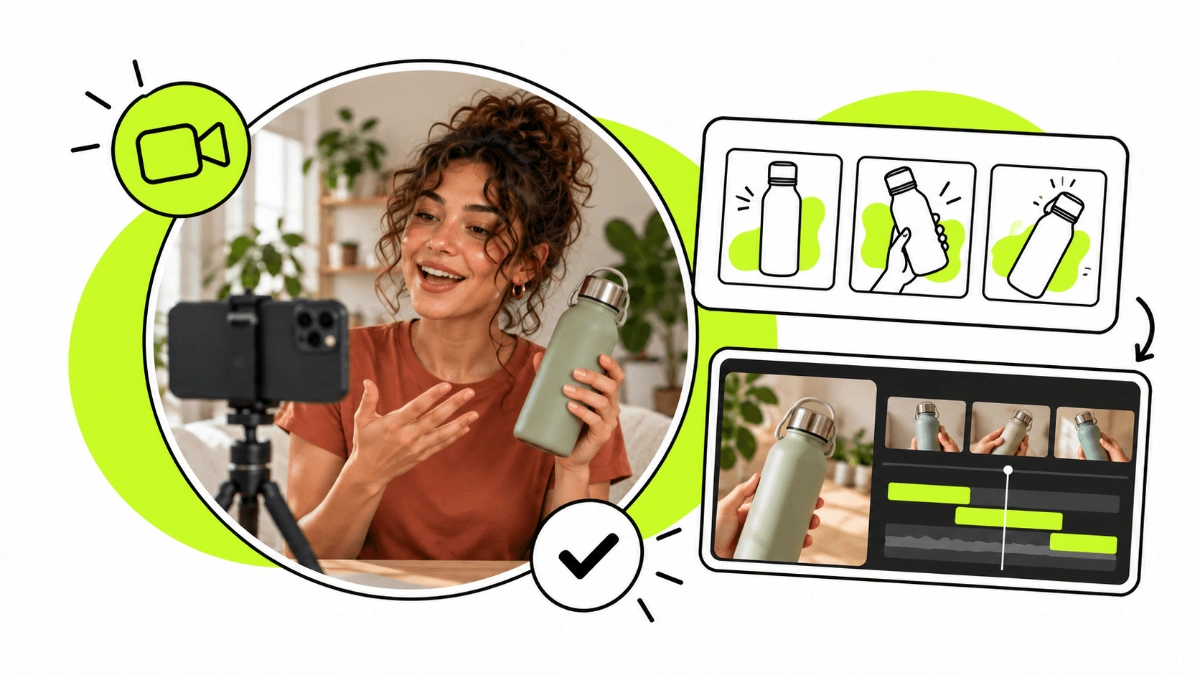
A UGC portfolio is your calling card as a content creator: it lets brands see how you film, edit, communicate and present a product before they decide whether to work with you. In this guide we explain how to build a UGC portfolio step by step, which videos to include, how to do it even if you have no experience yet and which mistakes to avoid.
You don't need to have worked with brands to build a good UGC portfolio. Start by choosing a niche or a few industries, create sample videos with products you already own, show different formats and organise your portfolio so a brand can quickly understand who you are, what you can do and how to reach you. Put the quality of your examples before quantity, and update it as you improve and land new collaborations.
If you're still not sure what a UGC creator actually does, start with our guide on what UGC is.
What is a UGC portfolio and what is it for?
A UGC portfolio is a selection of content that shows your skills as a UGC Creator to brands, agencies and potential clients.
Unlike a traditional CV, the point here isn't to explain everything you've done, but to show it. A brand should be able to open your portfolio and see within a few minutes how you speak on camera, how you present a product, the quality of your videos, how you edit and which content styles you can create.
Your portfolio can help you:
present your work to brands and UGC agencies;
land your first collaborations;
show the industries you have experience in;
showcase different video and editing styles;
stand out from other creators;
help a brand quickly judge whether you're a fit for its campaign.
And here's something important: you don't need thousands of followers to have a good UGC portfolio. When a brand buys UGC, it's often mainly looking for your ability to create a piece it will then use on its own channels or in its campaigns, not for the reach of your audience.
If you're starting from scratch, you can also read our guide on how to become a UGC Creator.
Where to create a UGC portfolio?
There are several ways to do it, and no tool is mandatory.
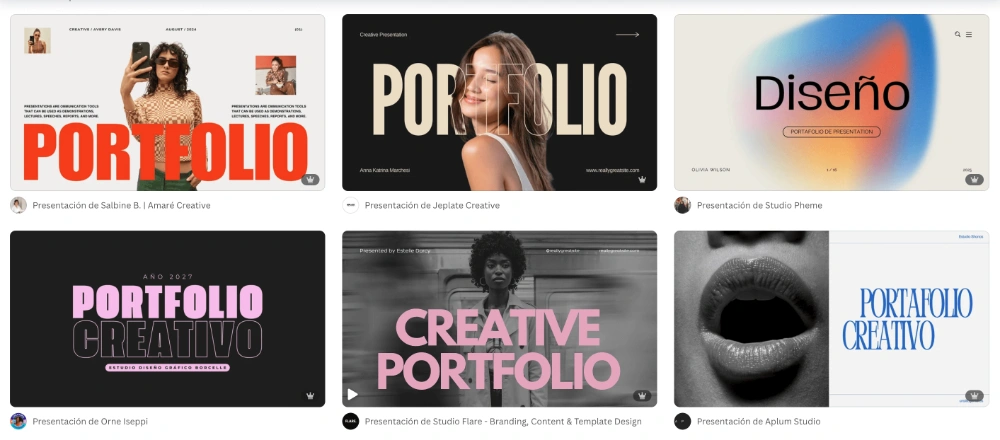
Canva
Canva is probably one of the most accessible options to get started, because it lets you build a visual portfolio from a template without any design or coding skills.
It can be enough to create your first UGC portfolio quickly and share it with a link.
Your own website
A website of your own makes sense if you want more control over the design, a custom domain and a more professional, distinctive portfolio.
There are several ways to build one. You can use website builders like Wix or Squarespace, build a site with WordPress or turn to AI tools like Lovable.
With Lovable you don't need to know how to code: you describe in a chat how you want your portfolio to look — which sections you need, what style you're after, how you want to show your videos — and the AI builds the site for you. You can then keep changing it with instructions like “add a section for beauty videos”, “make the design more minimal” or “improve the mobile version”.
The tool you choose is secondary. What matters is a site that is fast, visual, easy to navigate and built around your best content.
You don't need your own website from day one, but it can be a good next step when you want a more personalised portfolio and a professional presence of your own.
Your profile on a UGC platform
A standalone portfolio and a profile on a platform can work together.
For example, on Huuk you can have a profile where brands discover your content and can contact you directly. Your external portfolio is still useful when you reach out to brands yourself, approach agencies or a brand asks you for more examples.
What should a UGC portfolio include?
Before you design it, think about the person who will receive it. A brand should quickly find what it needs to answer three questions:
Who are you? What kind of content can you create? How can I work with you?
To get there, these are the elements we recommend including.
A short introduction
Start by explaining who you are as a creator in a few lines.
You don't need to tell your whole story. Include what matters to a brand: where you're based, the languages you speak, the industries you know, what sets you apart and the kind of content you enjoy creating.
For example:
I'm Laura, a UGC Creator specialising in beauty, lifestyle and fitness. I create content in English and Spanish and focus on natural, demonstrative videos made for social media and advertising.
That's far more useful than a generic line like “I love creating content and connecting with people”.
A good photo
You can include a photo of yourself so brands can put a face to the creator behind the portfolio, especially if you create on-camera content.
You don't need a professional photoshoot. A clean, well-lit photo that matches your style can be enough.
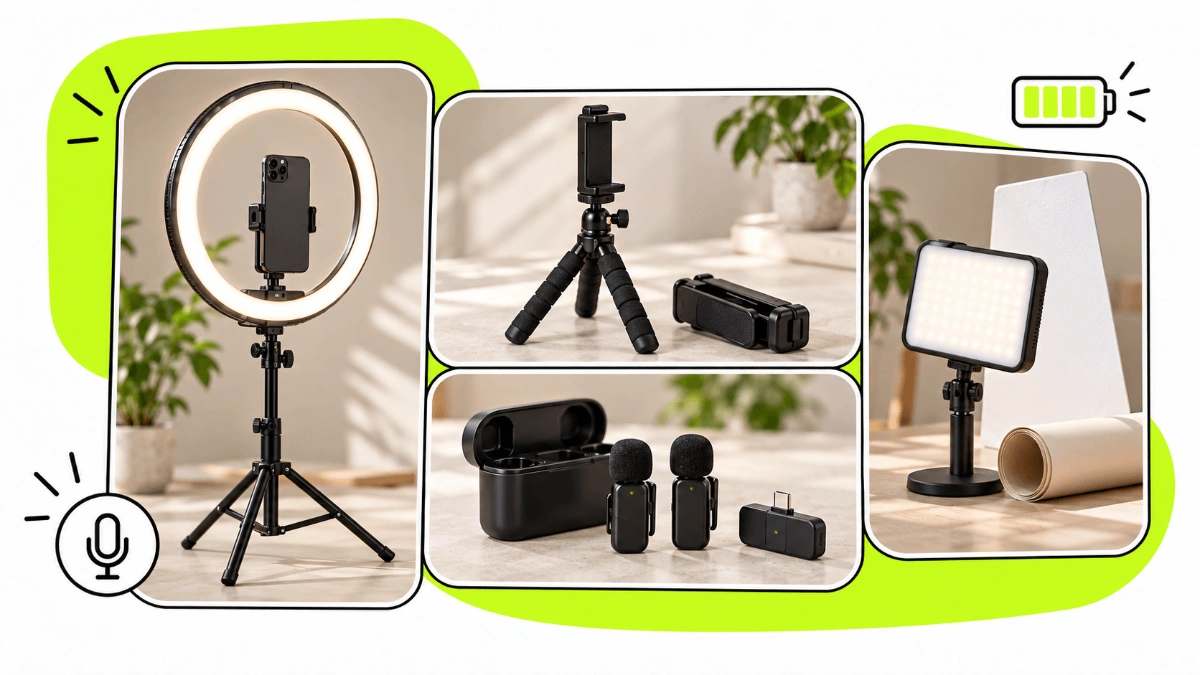
If you also want to improve the technical quality of your content, take a look at our guide to UGC Creator equipment.
Your best UGC videos
This is the most important part of the whole portfolio.
Don't fill the page with every video you've ever made. Pick only the ones that truly represent the quality of work you can deliver.
Try to show variety. For example:
unboxing;
product demo;
tutorial;
testimonial;
problem-solution;
lifestyle video;
voice-over;
talking-to-camera video;
content with different hooks and editing styles.
A brand doesn't need to see twenty nearly identical videos. Showing 6-10 good, varied pieces is better than 30 mediocre or repetitive examples.
Different industries or niches
If you can work across several categories, organise your examples so they're easy to find.
For example:
Beauty · Lifestyle · Food · Fitness · Tech · Travel
This lets a brand quickly find the work closest to its product.
You don't have to specialise in a single niche, especially when you're starting out. But if you have experience or specific knowledge in an industry, make it visible, because it can help you stand out.
Your services
Explain clearly what a brand can hire you for.
For example:
UGC videos;
UGC photos;
unboxings;
demos;
testimonials;
voice-over;
extra hooks;
scripts;
raw footage;
content in different languages.
You don't need to offer all of these. Only include what you can genuinely deliver to a high standard.
Testimonials and results
Once you start working with brands, you can add real testimonials that show what it was like to work with you.
If a company allows you to share the results of a piece, you can include those too. For example, an ad's performance, views or any other relevant figure.
One thing, though: don't make up results or credit your content with sales or conversions you can't prove.
If you don't have clients yet, just leave this section out. You don't need testimonials to create your first portfolio.
Contact details and CTA
Don't make a brand hunt for a way to get in touch.
Include at least:
name;
email;
relevant social profiles;
city or country, if it matters for collaborations;
languages;
a contact link, if you have one.
Finish with a simple call to action, such as:
"Shall we work together? Write to me and tell me about your project."
How to build a UGC portfolio in 10 steps
Now that you know what it should contain, let's build it.
Step 1: Decide what kind of UGC you want to create
Before thinking about the design or the tool you'll use, decide what you want a brand to understand about you and the content you can create.
Ask yourself:
Which industries interest me?
Do I want to appear on camera?
In which languages can I create content?
Which types of video am I best at?
Do I have a skill or trait that sets me apart?
For example, you might present yourself as a creator specialising in beauty and lifestyle, who creates content in English and Spanish and feels comfortable making tutorials, testimonials and on-camera videos.
You don't have to pick a niche forever or have a perfect strategy from the start. The goal is for your portfolio to reflect the kind of UGC you can create and the collaborations you'd like to land.
Step 2: Choose the products for your first videos
This is where one of the most common questions comes up:
How do I build a UGC portfolio if no brand has worked with me yet?
You don't need to wait for your first collaboration.
Look at the products you already have at home and pick a few that let you create good examples: skincare, food, tech, clothing, home products, apps or services you use regularly.
You can create spec content, or sample content: pieces you make on your own initiative to show what you can do.
If the content wasn't commissioned by the brand, don't present it as a real collaboration. Simply use it as an example of what you can produce.
Step 3: Film different types of UGC videos
Don't make five almost identical videos.
Your portfolio should show that you can adapt content to different needs. You could create, for example:
Video 1: unboxing.
Video 2: problem-solution.
Video 3: demo or tutorial.
Video 4: testimonial.
Video 5: lifestyle.
Video 6: voice-over or a video with a different editing style.
You can also try different hooks to show you know how to grab attention in the first few seconds.
You don't need to start with a huge amount of content. A small set of good examples is enough to launch your first portfolio.
Step 4: Select only your best work
Once you have a few videos, watch them as if you were a brand that doesn't know you.
Is the audio clear? Is the lighting right? Is the product easy to understand? Do you sound natural? Does the opening grab attention? Does the editing support the message?
If a video doesn't represent the level you want to work at, don't include it just to make your portfolio look bigger.
Your portfolio is a selection, not an archive of everything you've made.
Step 5: Choose where to create your UGC portfolio
You don't need to know how to code to create a professional portfolio. You can use Canva if you want a simple, quick solution, or build a much more personalised website with Lovable using artificial intelligence.
With Canva you start from a template and adapt the text, colours, images and videos.
With Lovable, on the other hand, you can create a website simply by explaining to the AI in a chat how you want your portfolio to look.
For example, you could ask: “Create a portfolio for a UGC Creator specialising in beauty and lifestyle, with an introduction, a section for my videos, services, testimonials and a contact form”. From there, you can keep asking for changes in the chat until you get the result you want.
The tool is secondary. What matters is that your portfolio is visual, fast, easy to navigate, mobile-friendly and easy to share.
Step 6: Build a simple structure
One possible structure:
Name + UGC Creator + photo
About me
Video examples
Industries or specialities
Services
Testimonials or results, if you have them
Contact + CTA
You don't have to follow this exact order, but don't make a brand click through lots of pages before it can see your videos.
Your work should appear very early.
Step 7: Take care of the design without upstaging the content
A UGC portfolio should look good, but it isn't a graphic design contest.
Use an easy-to-read font, few colours, enough white space and a consistent structure. The design should help people watch your videos, not compete with them.
Also check how it looks on mobile. Many people will open your link straight from an email, a message or a social network.
Step 8: Add your services and basic terms
Once a brand has seen your videos, it needs to understand what it can ask you for.
Explain your services and, if you like, a few extras you can offer.
You don't have to publish your prices in your portfolio. Rates can vary depending on length, complexity, usage rights, revisions and the specifics of each collaboration.
If you need a reference to set them, read our guide on how much UGC Creators charge and how to set your rates.
Step 9: Review and share your portfolio
Before you start sending it out, check:
that every video plays;
that the links open correctly;
that there are no typos;
that it looks good on mobile;
that your email address is spelled correctly;
that navigation is simple;
that your best pieces appear first.
Then you can share it when you contact brands directly, reply to proposals or approach UGC agencies.
You can also create your profile on Huuk, a self-service UGC platform that connects brands and UGC Creators directly. There you can set up your creator profile, show your content and set your own prices so brands can discover you and send you proposals.
Step 10: Keep it up to date
Your first portfolio won't be your final one.
When you create a piece that is clearly better than one of the current ones, replace the old one. When you work in a new industry, add an example. When you have testimonials or results you can share, add them.
Review regularly:
the quality of your videos;
recent work;
services;
contact details;
links;
your introduction;
testimonials.
Your portfolio should grow at the same pace as you do as a creator.
Example structure for a UGC portfolio
If you're not sure how to organise all the information, you can use this structure as a starting point:
1. Cover
First name Last name
UGC Creator
Beauty · Lifestyle · Fitness
Barcelona · EN / ES
2. About me
Two or three sentences explaining who you are, what kind of content you produce and what sets you apart.
3. My work
Pick your best videos and group them by format or industry if you have enough examples.
4. Services
List the types of content you can produce: videos, photos, hooks, voice-over, raw footage or other services you genuinely offer.
5. Brands and testimonials
Add collaborations, testimonials or results only when they're real and you can show them.
6. Contact
Email, social profiles and a clear CTA.
You don't need many more sections. A short portfolio that lets someone assess your work quickly is usually more useful than a long one full of secondary information.
What NOT to include in your UGC portfolio
A portfolio also gets better when you know what to cut.
❌ Low-quality content
Don't include videos just because they're recent or because you need to fill space.
Avoid pieces with poor lighting, bad audio, editing mistakes or quality clearly below the rest of your work.
❌ Too many similar videos
Five talking-to-camera videos with almost the same structure don't show as much versatility as five pieces in different formats.
Aim for variety without losing consistency.
❌ Unnecessary personal information
Include the details needed to work with you, but there's no need to publish private information that adds nothing to a potential collaboration.
❌ Text that's too long
The brand is mainly there to see what you can create.
Your personal story can help you stand out when it's relevant, but avoid whole pages of introduction before you show your content.
❌ An endless explanation of what UGC is
You don't need a section of your portfolio explaining to brands what UGC means or why they should use it.
Your portfolio should prove why they should work with you.
❌ Work that looks like a collaboration when it isn't
Creating sample content is completely fine. What you should avoid is presenting it in a way that suggests a company hired you when it didn't.
You can simply label it as spec content, a sample or a personal project.
❌ Fixed rates with no context
You don't have to include your rates in your UGC portfolio and, in many cases, it's better to set them after you understand the project.
The price of UGC can vary depending on length, editing, number of pieces, revisions, hooks, deadlines, extras and usage rights. Publishing a single rate can lead a brand to assume that price applies to any collaboration, even when the terms are completely different.
An alternative is to clearly show which services you offer and prepare a tailored quote once you receive the brief.
If you want to know how much to charge and have a reference before negotiating, read our guide to UGC Creator rates.
How to use your portfolio to land UGC collaborations
Creating your portfolio is only the first step. Then you need to get it in front of the right people.
You can use it to contact brands directly, respond to opportunities, approach UGC agencies or create profiles on specialised platforms.
When you contact a company, don't just send a link with no context. Briefly explain who you are, why you think you're a good fit for its product and what kind of content you could create.
You can also use Huuk so brands can find you directly and manage collaborations through the platform.
Specialised agencies like byCreators also work with UGC Creators on campaigns they manage for brands. A clear, up-to-date portfolio makes it easier for a team to quickly judge whether your profile fits a specific campaign.
A good UGC portfolio doesn't have to be complicated. It has to let a brand quickly understand who you are, what content you can create, the quality of your work and how to contact you.
Start with the products you have, create different examples, keep only your best pieces and put together a simple introduction. Don't wait until you've worked with lots of brands: your portfolio may be exactly what helps you land those first collaborations.
Then keep it up to date and use it actively to contact brands and agencies and look for opportunities. If you want to take the next step, you can create your UGC Creator profile on Huuk and start connecting directly with brands looking for UGC.